Disabling automatic client registration on the local network
As of NDMS 4.2.1, new clients connecting to the primary segment are now automatically registered with the router by default, increasing security and ease of management. This feature is enabled on the router by default.
In the client list, segment information, MAC address, and registration time are automatically added to the names of devices that are automatically registered. This helps you identify and track devices on the network more easily.
If necessary, you can disable automatic registration of new clients. To do this, connect to the router's web interface, go to My Networks and Wi-Fi > Client Lists, in the Unregistered Clients section, click Settings for unregistered clients to display additional settings, and uncheck the Automatically register new clients in the primary segment box.
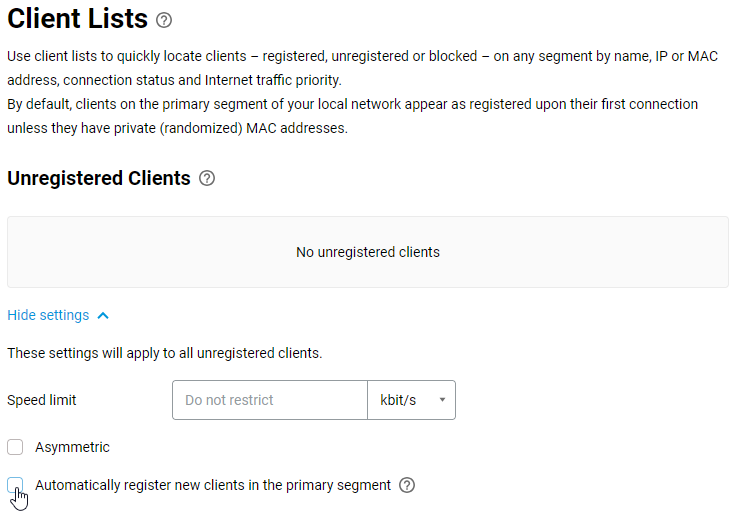
Newly connected clients will then be listed as Unregistered Clients. Next, register the client devices in the local network yourself.