Using API methods through the HTTP Proxy service
This article explains how to configure access to the API via the device's HTTP Proxy service.
In the web interface , under the Users and Access menu, you must grant the corresponding user access rights to the HTTP Proxy service.
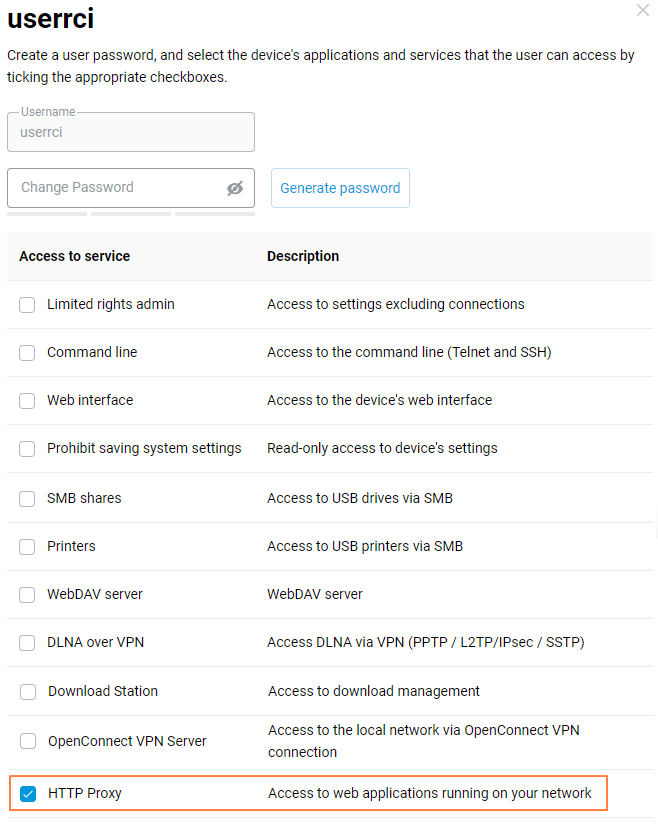
In the Domain Name menu, register in the CrazeDNS service and add a fourth-level domain name using the settings shown in the screenshots:
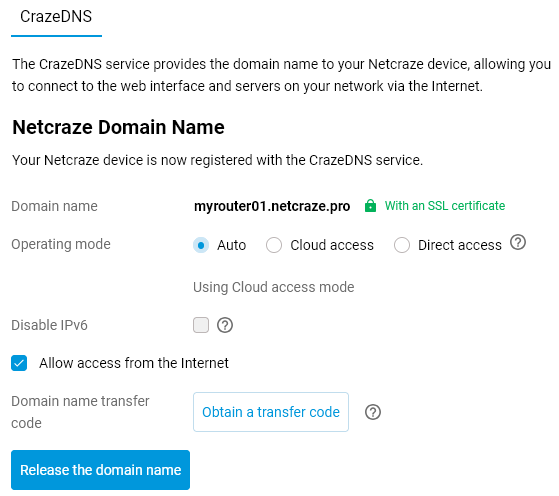
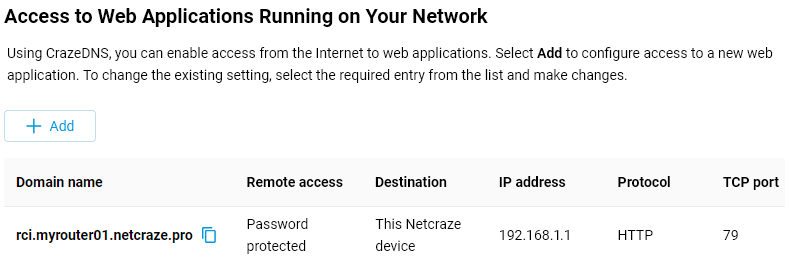
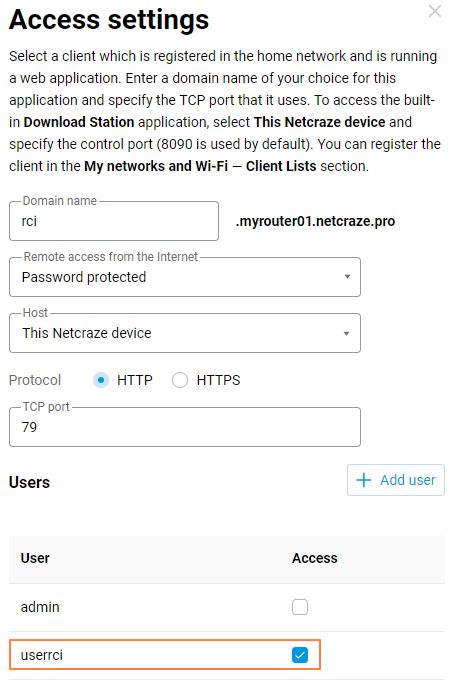
HTTP requests to the API will now be proxied through port 79 on your device.
Requests can be made to both private and public WAN IP addresses on your device.
The API command format is similar to the CLI. The command-line manual is available for download in the Download Center for all Netcraze models.
API basics:
operates over the HTTP protocol;
all commands begin with the URL
/rci;requests and responses are in JSON format;
the GET and POST methods are used.
Example of a command in a browser address bar:
http://rci.myrouter01.netcraze.pro/rci/show/system
You must enter your username and password in the browser pop-up window, or enter them directly into the address bar in the following format:
http://login:password@rci.myrouter01.netcraze.pro/rci/show/system
For example:
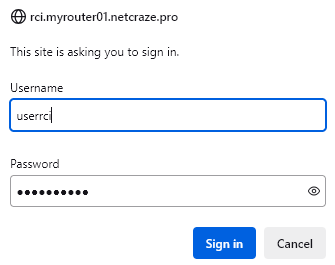
Displaying information in response to a specified command:
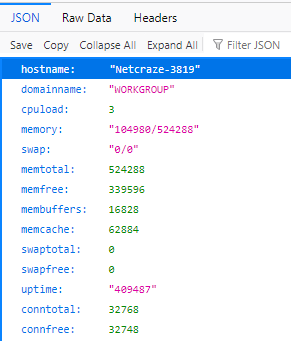
Example command for the CURL tool on Windows:
curl -u login:password --digest http://rci.myrouter01.netcraze.pro/rci/show/system
Digest authentication is used when entering the command in a browser or the CURL tool.
Tip
For ISPs and business customers, there is an additional service for integrating Netcraze devices, with the option of centralized remote management via web and API. If you are interested, please send an enquiry to the following e-mail address: help@netcraze.ru